





Calibration of PA by bands
Last modified by UT2UK on 2026/11/16 18:02
Calibration of PA by bands
Output power calibration on each band. A 50 Ohm load rated for 100 W and an external power meter are required.
Calibration procedure
- Open the TX settings window and press the button GEN
A warning appears on the screen:
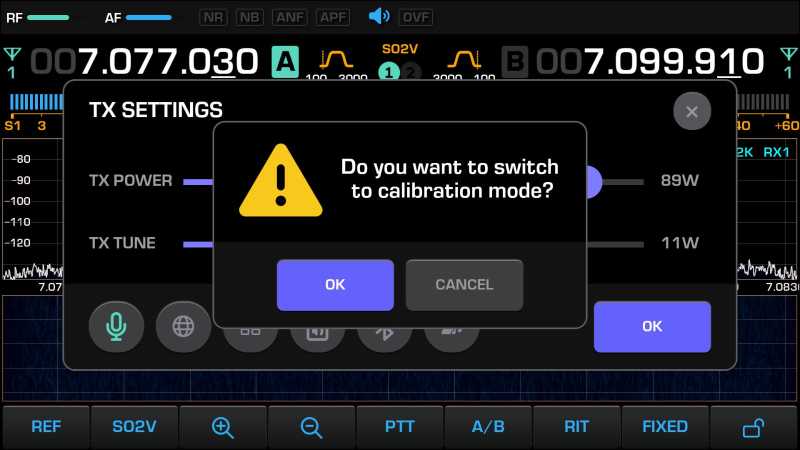
- Press the button OK. The transceiver goes to transmit and sends a tone carrier. Its power is equal to the TX POWER value that was set before calibration.
Turn the encoder RF until the real power on the external meter is equal to the TX POWER value.
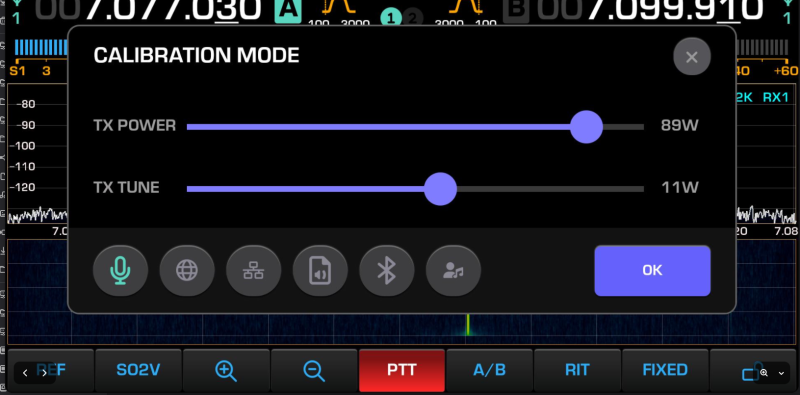
- Press the button GEN again or close the TX settings window. The transceiver writes the calibration to the NVMEM memory and returns to receive.