




Calibration of PA by bands
Last modified by UT2UK on 2026/03/02 10:13
To start calibration, press the GEN button while in the transmitter operational settings window.
A warning message will appear on the screen:
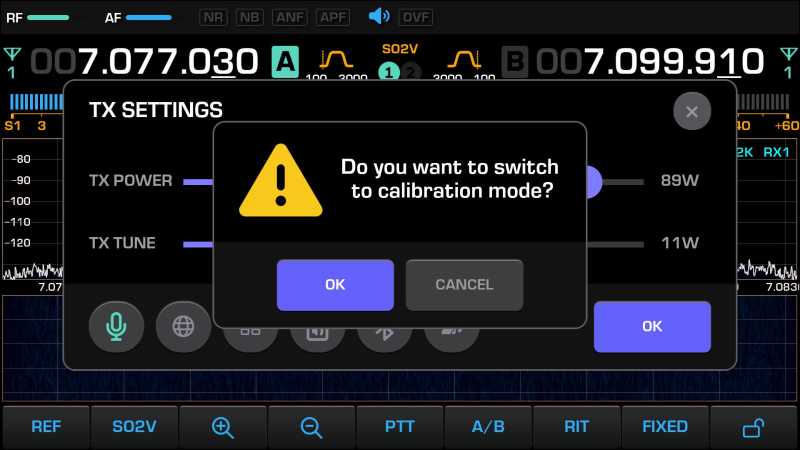
When the OK button is pressed, the transceiver will enter transmission mode and output a tonal carrier.
The output power of the tonal carrier is the current transmitter power level (TX POWER) set before entering calibration mode.
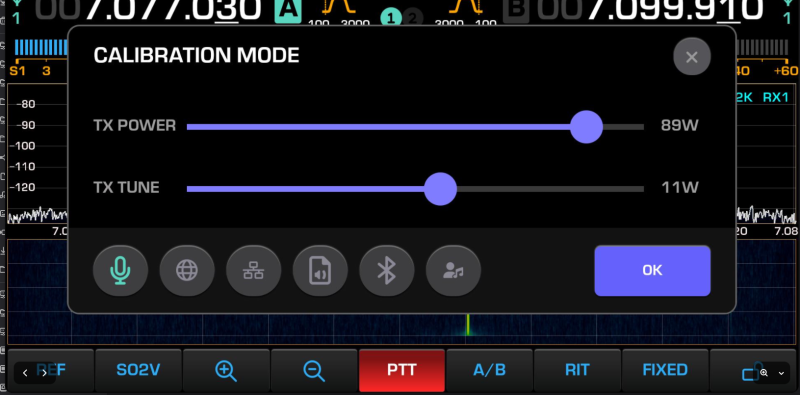
By adjusting the RF encoder, achieve equality between the ACTUAL output power (measured by the external power meter) and the pre-set TX POWER value.
When the GEN button is pressed again, or when exiting the transmitter operational settings window, the current calibration is saved to NVMEM memory and the device returns to receive mode.