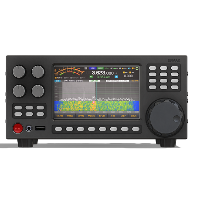





The patune utility is an interactive console program for calibrating and configuring the parameters of the Power Amplifier (PA) in the Ermak TT transceiver. The program provides bias control of the amplifier, stage current calibration, monitoring, and cooling system configuration.
Purpose of the Utility
The program is designed for engineers and technicians for:
- Automatic calibration of driver and output stage bias
- Setting target idle currents for each stage
- Monitoring the current status of the power amplifier
- Managing thermal compensation
- Configuring alarm parameters (temperature and current alarms)
- Setting up the fan control table (cooling)
- Saving configuration to non-volatile memory (NVMEM)
Operating Modes
The utility is organized as a hierarchical menu system:
Command Line Parameters
The utility does not accept command line parameters. All control is performed through the interactive console menu.
Starting the Program
At startup the program:
- Connects to PA Manager
- Requests the current PA configuration
- Requests the current bias table
- Displays the main menu
- Waits for user input
Input Format
User Input
Numeric Input
When a numeric value is requested, the program expects:
- A positive integer within the specified range
- Or the q character to cancel the operation
- Or q and Enter to exit
Example of entering a current value:
Validation:
- The value must be within the range [min, max]
- If a value outside the range is entered, the program will display an error and repeat the prompt
- Maximum 1 attempt per second (1 sec delay)
Signed Numeric Values
Signed values are used for thermal compensation:
Valid value ranges:
- Thermal compensation: -100 to +100 DAC/°C
- Temperature: -40 to 126 °C
- Fan speed: 0 to 100 %
Cancelling an Operation
Press q at any input prompt to cancel the current operation without saving.
Menu Navigation
- Digits 0-9 to select a menu item
- Enter to confirm
- q to return to the previous menu
Output Format
PA Status
| Field | Description | Unit |
|---|---|---|
| Heat temp | Heatsink temperature | °C |
| Int temp | Internal temperature | °C |
| VSWR alarm | VSWR alarm flag | 0/1 |
| Extra current alarm | Overcurrent alarm flag | 0/1 |
| Temperature alarm | Temperature alarm flag | 0/1 |
| Bias enable | Bias enable status | 0/1 |
| Bus voltage | Supply voltage | mV |
| Output stage current | Output stage current | mA |
| Driver stage current | Driver current | mA |
| Output bias | Output bias voltage (channel 0/1) | mV |
| Driver bias | Driver bias voltage (channel 0/1) | mV |
| Fan speed | Fan speed | % |
PA Configuration
| Field | Description | Default value |
|---|---|---|
| High limit temp | Maximum temperature (alarm) | 80°C |
| Low limit temp | Minimum temperature (restore) | 75°C |
| Max driver current | Max driver current (alarm threshold) | 1200mA |
| Max output current | Max output current (alarm threshold) | 2000mA |
Bias Table
| Field | Description | Range |
|---|---|---|
| Bias DAC output [0/1] | DAC bias value for output channels 0 and 1 | 0-4095 |
| Bias DAC driver [0/1] | DAC bias value for driver channels 0 and 1 | 0-4096 |
| Target driver current | Target idle current for driver stage | 1-1000 mA |
| Target output current | Target idle current for output stage | 1-2000 mA |
| Driver thermo compensation | Driver thermal compensation | -100 to +100 DAC/°C |
| Output thermo compensation | Output thermal compensation | -100 to +100 DAC/°C |
| Temperature of calibration | Temperature at which calibration was performed | °C |
Fan Control Table
The table contains 8 interpolation points. Each row contains:
- Index: sequence number (0-7)
- Temperature: threshold temperature in °C
- Fan Speed: fan speed in %
Speed is calculated by interpolating between points based on the current temperature.
Calibration Progress
During automatic calibration a progress bar is displayed:
Components:
- DAC: current DAC value and maximum
- First progress bar: DAC progress (yellow)
- Current: current measured current and target current
- Second progress bar: progress toward target current (green)
Error Messages
An error message in red indicates a communication failure with PA Manager or an unexpected state.
Success Messages
Successful operations are displayed in yellow.
Usage Examples
Example 1: Checking Amplifier Status
Example 2: Setting Target Driver Current
Example 3: Automatic Driver Calibration
Example 4: Editing a Fan Table Entry
Example 5: Saving Configuration
Error Diagnostics
Calibration Error
Message:
Causes:
- Amplifier is not functioning
- No power supply to the stage
- Current sensor is faulty
- Bias circuit is incorrectly configured
Solution:
- Check PA power supply
- Check load connectors
- Make sure bias can be adjusted
- Check the DAC coefficient value
Configuration Write Error
Message:
Causes:
- NVMEM is full
- Hardware write error
- Loss of connection with PA Manager
Solution:
- Repeat the write operation
- Try resetting the configuration: "Reset all bias to default value"
- Reboot and try again
Practical Application Scenarios
Scenario 1: Initial Setup of a New Amplifier
Scenario 2: Fan Control Setup
Scenario 3: Maintenance and Diagnostics
Limitations and Implementation Notes
Parameter Limits
| Parameter | Minimum | Maximum | Note |
|---|---|---|---|
| Driver current | 1 mA | 1000 mA | Target value |
| Output current | 1 mA | 2000 mA | Target value |
| Max alarm current (driver) | - | 6000 mA | Threshold value |
| Max alarm current (output) | - | 26000 mA | Threshold value |
| Heatsink temperature | -40°C | 126°C | Sensor range |
| Maximum alarm temperature | - | 80°C | Limited |
| Bias DAC | 0 | 4095 (output) / 4096 (driver) | 12-bit resolution |
| Thermal compensation | -100 | +100 | DAC/°C |
| Fan speed | 0% | 100% | Corresponds to DAC 0-63 |
Utility version: 1.2